Find Similar Companies: Build a Lookalike List That Fits
How to find similar companies from your best customers: pick the right kind of similar, search, and check each lookalike before it reaches your CRM.
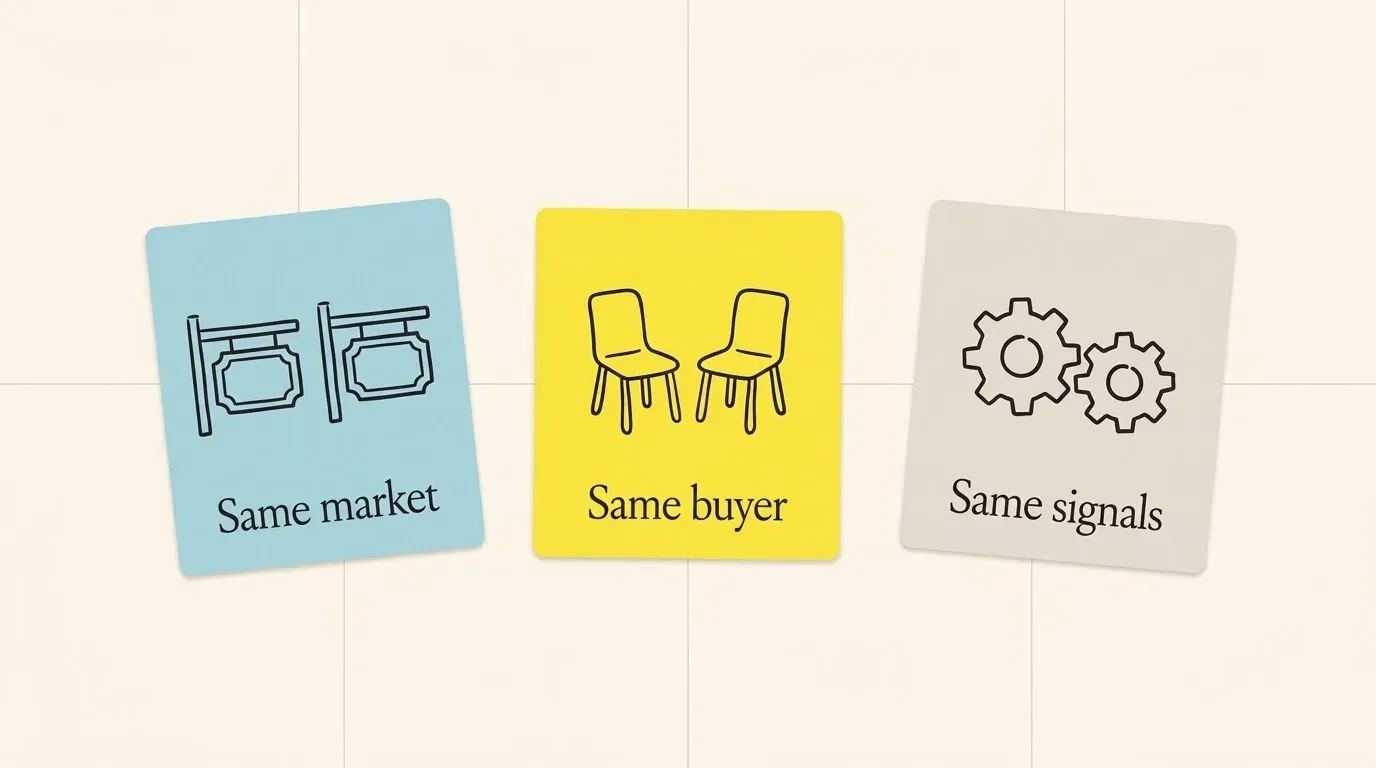
To find similar companies, start from a short list of your best customers, decide which kind of “similar” the job needs (same market, same buyer or same signals), then search on those traits and check each name before it goes into your CRM. The search takes minutes. The choice of what “similar” means decides whether the list is worth a sales team’s week.
This guide shows the three kinds of similar, why an industry code alone gives a bad list, a worked example with one public company, what the common lookalike tools match on, and the checks that keep the wrong names out.
Which kind of “similar” do you need?
Ask two people for “companies like Box” and you get two lists. A product marketer gives you Dropbox and Microsoft. A sales leader gives you mid-size software companies that sell to IT teams. Both are right, for different jobs.
| Kind | Two companies match when | Good for | Goes wrong when |
|---|---|---|---|
| Same market | They sell the same kind of product to the same kind of customer | Competitor maps, market sizing, positioning | You use it as a sales list and pitch your customer’s much larger competitors |
| Same buyer | They look like your customers: size, business model, country, team that buys | Prospect lists and account-based campaigns | You copy only one customer, and the list is a clone of one niche |
| Same signals | They share an event or a tool: a funding round, hiring for a role, a product they use | Timing your outreach | The signal is common, so it does not separate good fits from bad ones |
Most “find similar companies” searches come from the second job: more accounts like the ones that already pay you. That job needs the “same buyer” kind, with the other two as filters. Write the job down before you open any tool. The rest of this guide assumes a prospect list, and the next section shows why the most common shortcut for it fails.
Why an industry code alone gives a bad list
The fastest filter in most databases is an industry code. It is also the weakest one for lookalikes.
Industry codes describe what a business does, in wide groups. In the United States, the Census Bureau “assigns one NAICS code to each establishment based on its primary activity”, which it generally takes to be “the activity that generates the most revenue for the establishment” (Census Bureau NAICS FAQ, archived 2009; the same rule is on the NAICS Association FAQ, read 2026-10-30). One code per site, chosen by revenue, cannot tell a content platform from a game studio if both sell software.
The SEC’s older SIC codes show the problem in public. The SEC says the code on a company’s filings indicates “the company’s type of business” (SEC SIC code list, read 2026-10-30). Box files under SIC 7372, “Services-Prepackaged Software” (SEC company record for Box, read 2026-10-30). The first names in the SEC’s list of companies under that same code include an online education company (2U), a 3D printer maker (3D Systems) and two video game publishers (3DO, Acclaim Entertainment) (SEC company list for SIC 7372, read 2026-10-30).
None of those companies buys what a vendor to Box sells. If your filter is “SIC 7372, 1,000 to 5,000 staff”, the list holds them all, and your team finds out one call at a time. At five minutes to research and reject each wrong name, 200 wrong names cost about two days of a person’s time (our arithmetic, not a measured rate).
Use the industry code as the outer fence. Use the traits of your best customers to choose inside it, which is the method below.
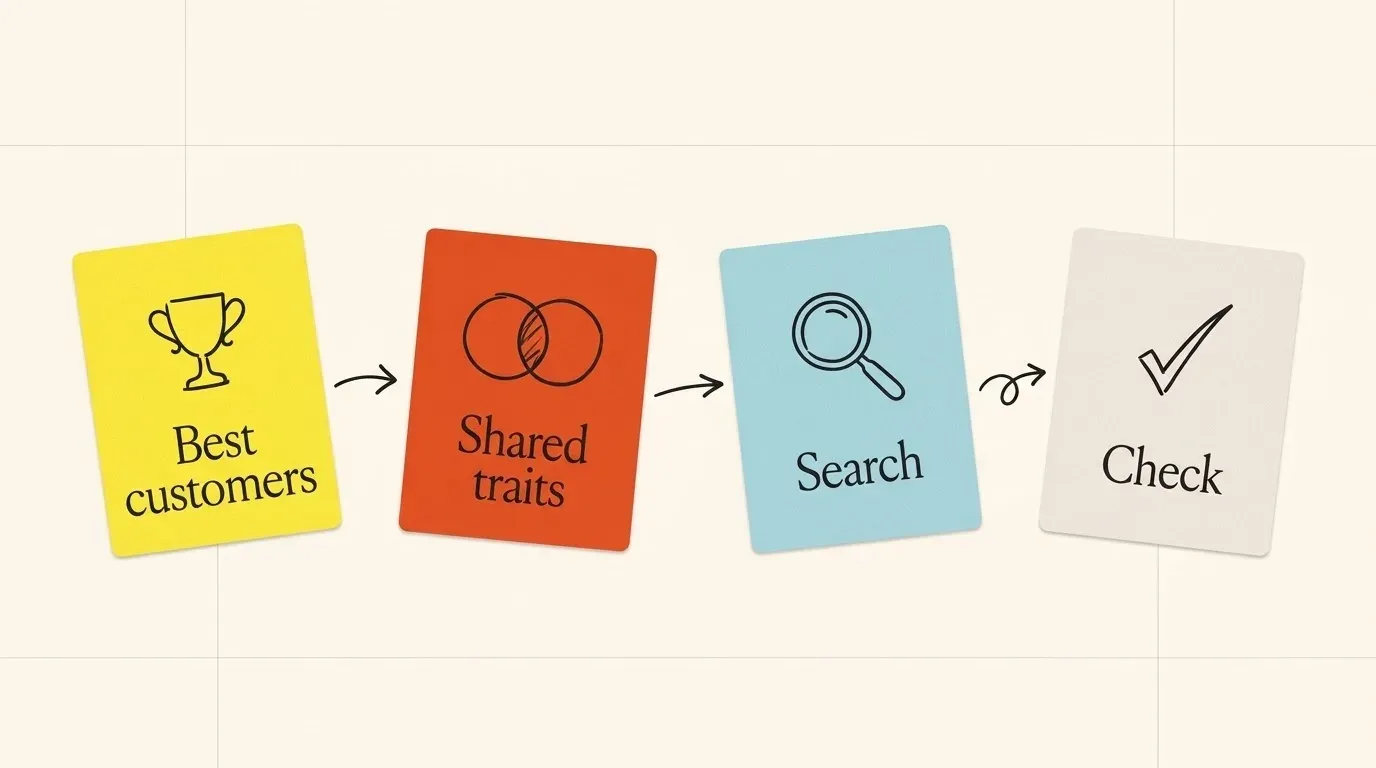
How to build a lookalike list from your best customers
1. Pick the seed accounts
Take 10 to 30 customers that you would sign again tomorrow: they pay on time, they renewed or grew, and the sales cycle was short. One vendor guide suggests 20 to 100 best-customer domains (Instantly, read 2026-10-30) but shows no test behind the number, so treat any seed count as a range, not a rule. Fewer than 10 seeds and one odd customer bends the list. Keep the worst-fit customers out, even large ones.
2. Write down what they share
For each seed, note the traits a stranger could check on the public web:
- what they sell and to whom, in one plain sentence;
- business model: self-serve, sales-led, marketplace, services;
- headcount band and country of the head office;
- the team that bought from you (IT, finance, support, sales);
- a signal that came before the deal, if you know it: a new office, a hiring push, a product launch.
Circle the traits that at least two thirds of the seeds share. Those are your filters. A trait that only one seed has is noise.
3. Split the seeds if they do not agree
If half your best customers are 50-person agencies and half are 2,000-person software companies, you have two profiles. Run two searches. One blended search returns companies that fit neither.
4. Search on the shared traits
Use the plain sentence from step 2 as the search text, and the other traits as filters. A search on what companies do finds the content platform and skips the game studio, which the industry code could not do. Then add the “same market” companies of your best seeds: the companies that compete with your customers often have the same needs.
5. Check every name
Run the checks in the section “Check each lookalike before it reaches your CRM”. They take a minute each, which is less than one wasted call.
The method is easier to judge on a real company, so here it is on Box.
A worked example: lookalikes of Box
Say Box is one of your best customers, and you want more accounts like it. The three kinds of similar give three different lists.
Same code. As shown above, SIC 7372 puts Box next to 2U, 3D Systems, 3DO and Acclaim Entertainment. Wrong buyer, wrong product, wrong list.
Same market. Box’s annual report names its competitors. In content management it names Microsoft (SharePoint) and OpenText (Documentum). In file sync and share it names Microsoft (OneDrive), Google (Drive) and, “to a lesser extent”, Dropbox (Box 10-K, filed 2026-03-09). These are the right market. For a sales list, they fail on size: Microsoft and Google are not “accounts like Box” for most vendors.
Same buyer. Now filter the market list by the traits of the seed:
| Trait | Box (seed) | Dropbox |
|---|---|---|
| Market | Content management, file sync and share | Names Box as a competitor “in the cloud storage market for deployments by large enterprises” |
| Staff | 2,912 people on 2026-01-31 | 2,113 full-time employees on 2025-12-31 |
| Revenue | $1.18 billion, year to 2026-01-31 | $2,521.0 million in 2025 |
| Industry code | SIC 7372 | SIC 7372 |
Sources: Box 10-K, Dropbox 10-K for 2025, SEC company record for Dropbox, read 2026-10-30.
Dropbox passes every trait: the same market, staff in the same band, revenue within about two times, and each company’s filing points at the other. Microsoft, Google and OpenText pass the market test only. For them, content storage is one product line in a much larger group, so the buyer you know from Box sits deep inside a far larger company, with other budgets and other rules.
The result is one strong lookalike out of four market names, and one rule you can reuse: start wide with the market, then cut on the buyer traits of your seed. Repeat this for each seed, keep the names that more than one seed produces, and the list holds companies that look like your customers for a reason you can say in a sentence.
You will not do this by hand for 30 seeds. The tools in the next section do the first pass. What they match on decides how much checking is left for you.
What lookalike tools match on
Every “similar companies” feature makes its own choice of traits, and most say so in their help pages. We read these on 2026-10-30:
| Tool | What it says it matches on | Fits best for |
|---|---|---|
| Crunchbase | Companies that “share key attributes like industry and growth signals” | Same market, with funding and growth as filters |
| Hunter | “Industry”, “Company description” and “Keywords”; companies with e-mail addresses on file are ranked first | Same market, when the next step is outreach |
| CB Insights (2017 post) | Companies named together in the news, competitor links, and lists its users build | Same market for well-covered companies |
| Instantly | Firmographic traits, tools used, language cues and growth signals | Same buyer, for outbound campaigns |
Three things stand out.
- Most tools match on the market. Industry, description and keywords describe what a company sells. That is the first kind of similar, not the second. You add the buyer traits yourself.
- Ranking is not neutral. Hunter puts companies with known e-mail addresses first. That is useful for outreach, but it means the top of the list is the easiest to contact, not the closest match.
- Coverage is uneven. CB Insights wrote in 2017 that news co-mentions work well for companies with press coverage and poorly for early-stage ones. That still holds for any method that needs a public trail: young and quiet companies are under-matched.
If you compare tools, see our pages on Crunchbase and Hunter. Whatever tool you pick, its output is a candidate list. The checks turn it into a sales list.
Check each lookalike before it reaches your CRM
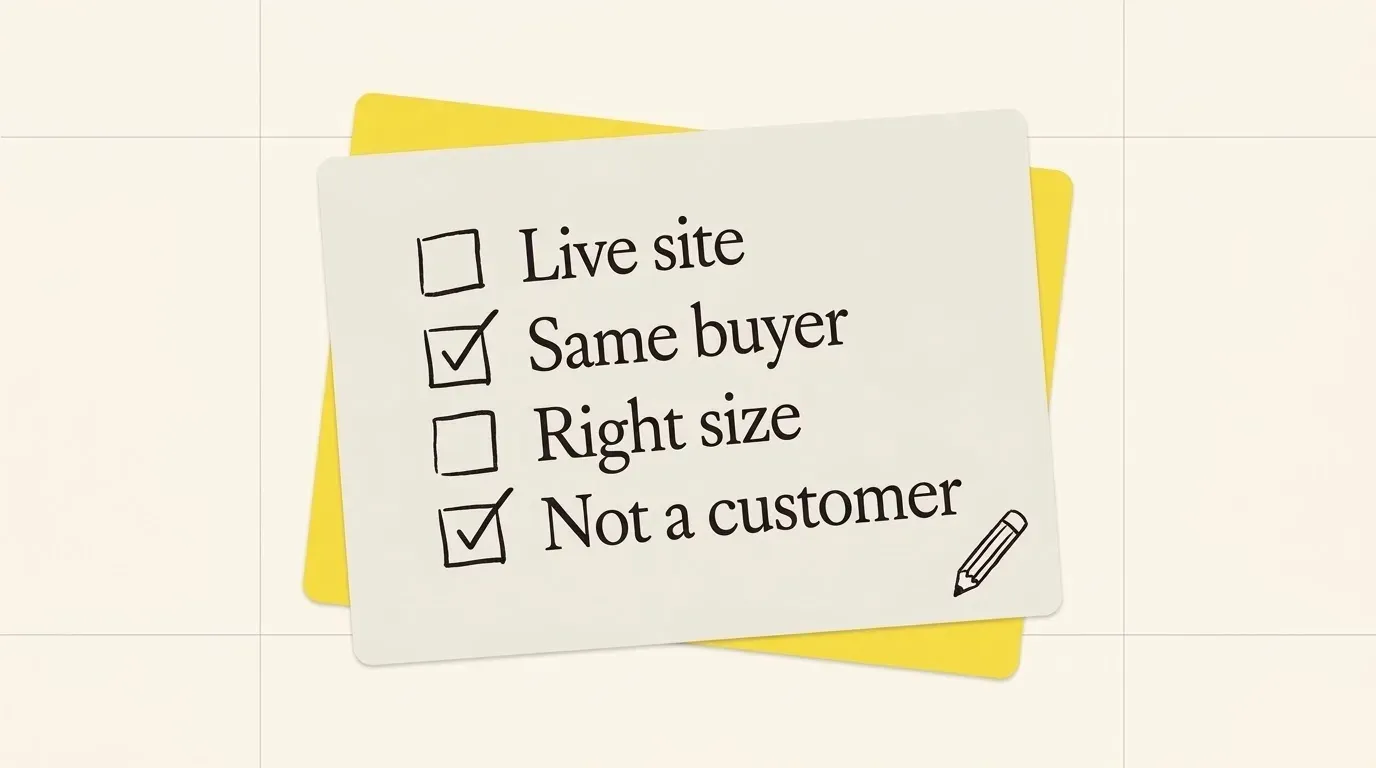
A name goes into the CRM when it passes four checks:
- Live site. The domain loads, the company still trades, and it was not bought by another company. Lookalike data ages: a company that was acquired last year still looks like your customer in an old record.
- Same buyer. The home page sells to the same kind of customer as your seeds. A software company that sells to hospitals is not a lookalike of one that sells to retailers, whatever its code.
- Right size. Headcount or revenue is inside the band your seeds share. Out-of-band names go to a separate list, not into the trash: they may fit next year.
- Not a customer, not in a deal. Remove current customers, open opportunities and companies that asked not to be contacted. A lookalike list that emails your own customers costs you trust that no new account pays back.
Keep one note per name: which seed it matched and why. When a rep asks “why is this company on my list?”, the answer is one line, not a meeting.
Run the checks on a sample first. Take 20 names from the tool, check them, and count how many pass. If fewer than half pass, change the search, not the checks.
Find similar companies with Innerfetch API
Innerfetch API is one way to do the first pass by code, or from an AI agent. It does not replace your seed list or the checks above. It gives you the candidates and the facts for the checks.
Three calls cover the method:
- The Company search API takes a plain sentence (“shared inbox for support teams”) and returns the companies that match by meaning.
- The Competitors API returns the companies in the same market as a given company domain. Rows with a public page that compares the two come first. Similar rows come next, and only strong matches are shown.
- The Company enrichment API returns the profile of a company domain: industry, size, country and description. Use it for the “right size” and “same buyer” checks.
To build a list:
- Write the sentence from step 2 for one seed profile.
- Send the sentence to the company search API.
- Send the domain of each best seed to the competitors API.
- Merge the two lists and remove duplicate domains.
- Get a profile for each domain with the batch call.
- Keep the companies that pass your size and buyer checks.
The guide Build a target account list shows each step with code. Read the credit cost of each call on the pricing page. For a competitor list instead of a sales list, read how to find competitors of a company.
If your list must cover every company in a country, including the small and quiet ones, a full company database with industry filters will cover more names. Use it for the outer fence and the checks above for the inside.
Questions people ask
Can I find similar companies for free?
Yes, for a short list. Read the competitors that a public company names in its annual report, search <company> alternatives, and read the category pages on software review sites. Some lookalike tools have a free tier; read its row limit before you plan a large list on it.
How many seed companies do I need?
Ten to 30 is a practical range for one profile. With fewer than 10, one odd customer bends the list. With more than 30, check that the seeds still share their traits, or split them into two profiles.
What is the difference between lookalike companies and competitors?
Competitors sell the same thing to the same buyer as the seed. Lookalikes look like the seed as a customer: same size, same buyer, same needs. A competitor of your customer is often a good lookalike, but only when the size and buyer match.
Are lookalike lists accurate?
Only as accurate as the traits they match on and the date of the data. Check a sample of 20 names before you use a list, and keep the share that passed. That number tells you more than any tool’s claim.
A checklist for your first list
- Write the job: competitor map, prospect list or timing.
- Pick 10 to 30 best customers as seeds, and leave out bad fits.
- Write one plain sentence and four traits that most seeds share.
- Split the seeds into two profiles if they do not agree.
- Use the industry code only as the outer fence.
- Search on the sentence, then add the market lookalikes of your best seeds.
- Check 20 names and count how many pass.
- Remove customers and open deals, and note the seed behind each name.
Run the list again each quarter. Your best customers change, and the lookalikes change with them.
Try it on a company you know
Start with 200 free credits. Sign up with a work e-mail.