How to Find Someone's Work Email, Then Check It
How to find someone's work email in four steps: confirm the person, find the company's format, check the address, and know what each result means.

How to find someone’s work email: start from two facts, the person’s full name and their company’s domain. Find the address pattern the company uses, such as first.last@company.com, build the address from the name, and check it before you send. Finding the address takes minutes. Checking it is the step that protects your sender reputation.
Most guides stop at “guess the pattern”. That is how a list of 200 names turns into a pile of bounces. Below are the four steps, a table that says what to do with each check result, a worked example with real bounce numbers, and the legal lines for the US, the UK and the EU.
What do you need before you search?
Start with the person, not the address. A correct address for the wrong person is still a wasted e-mail. Before you look for an address, confirm three things:
| Fact | Why it matters | Where to confirm it |
|---|---|---|
| Full name, as the person writes it | “Bob” or “Robert” changes the address | Their own public profile, a talk or an article they wrote |
| Current employer | People move; an old employer’s address bounces | A recent post, the company’s team or press page |
| The company’s mail domain | It is not always the website domain | Addresses the company publishes, its contact page |
The third fact trips people up. A company can run its website on one domain and its mail on another. Brands inside a group often use the parent’s domain for mail, and some companies keep an old domain after a rename. If the website is acme.io but every published address ends in @acmegroup.com, the second one is the mail domain.
Also check the role. If you sell to finance, a name from a two-year-old article may now sit in a different team. A current title on the company’s own page is the best proof. Our guide to finding a company’s customers uses the same “confirm first” habit for accounts.
With the person confirmed, the fastest win is an address that the company already published.
Step 1: Look for an address the company already published
Many work addresses are public because their owners want to be reached. Search before you guess:
- Site search. Search for
"@company.com" site:company.com. Press pages, partner pages, event pages and help articles often show real addresses. - Documents. Add
filetype:pdfto the same search. Press releases, white papers and reports often end with a contact name and address. - The person’s own writing. Authors of articles, open-source code and conference papers often sign with a work address.
- Their public profile. Some people put a work address in a profile’s contact section. Most do not, but the profile confirms the name and the role.
If you find the person’s own address, you are done: check it (step 3) and send. If you find addresses of other people at the same company, you have something almost as useful. You have the company’s format.
Step 2: Find the company’s e-mail format
Companies give every employee an address by one rule. Learn the rule from two or three published addresses, and you can build the address of anyone at the company.
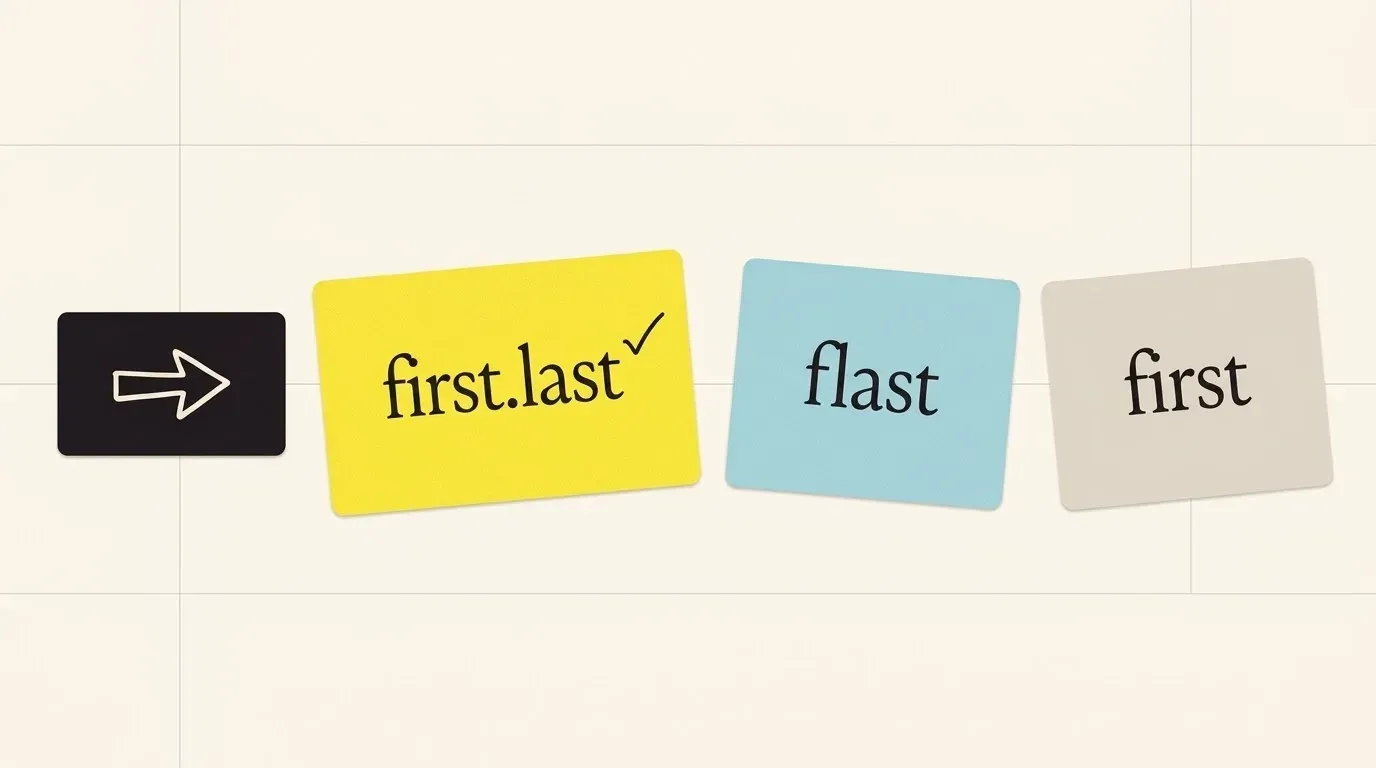
A few formats cover most companies. In a study of 336,782 work addresses with full names, analysed in July 2026, one data vendor found these shares (Sendburg, read 31 October 2026):
| Format | Example for Jane Doe | Share of addresses |
|---|---|---|
first.last@ |
jane.doe@company.com | 47.7 % |
flast@ |
jdoe@company.com | 26.8 % |
first@ |
jane@company.com | 8.1 % |
Other (firstlast@, first_last@, last.first@, firstl@) |
janedoe@company.com | the rest |
The same study shows how much company size matters. first.last@ is 74.2 % of addresses at companies with more than 10,000 staff, but only 38.0 % at companies with 1 to 10. At small companies, first@ reaches 16.8 %. So a guess of first.last@ is a good bet at a large company and close to a coin flip at a startup. The study comes from a vendor’s own data, not a census, so use it to rank your guesses, not to skip the check.
Three ways to learn a company’s format:
- From published addresses. Two addresses that follow the same rule are enough. One address can be an exception, such as a founder who took
jane@. - From an e-mail format lookup tool. Format lookup tools such as Hunter’s domain search show the pattern they see most often at a domain.
- From a company data profile. Some company data APIs return the format as a field. More on that below.
Then handle the hard cases before you build the address:
- Double names and hyphens. “Anne-Marie Lopez Garcia” may become
anne-marie.lopez@,annemarie.lopezgarcia@oralopez@. Build two or three versions and check each one. - Accents. Most companies drop them: “Zoë Müller” becomes
zoe.muller@orzoe.mueller@. - Name clashes. A second John Smith at a large company often gets
john.smith2@or a middle initial. A check catches this. - Upper and lower case. The mail standard says the part before the @ “MUST BE treated as case sensitive”, but also that using that case “is discouraged” (RFC 5321, section 2.4). In practice, write the address in lower case.
Now you have one to three candidate addresses. Each one is still a guess, and the next step tells you how good a guess it is.
Step 3: Check the address before you send
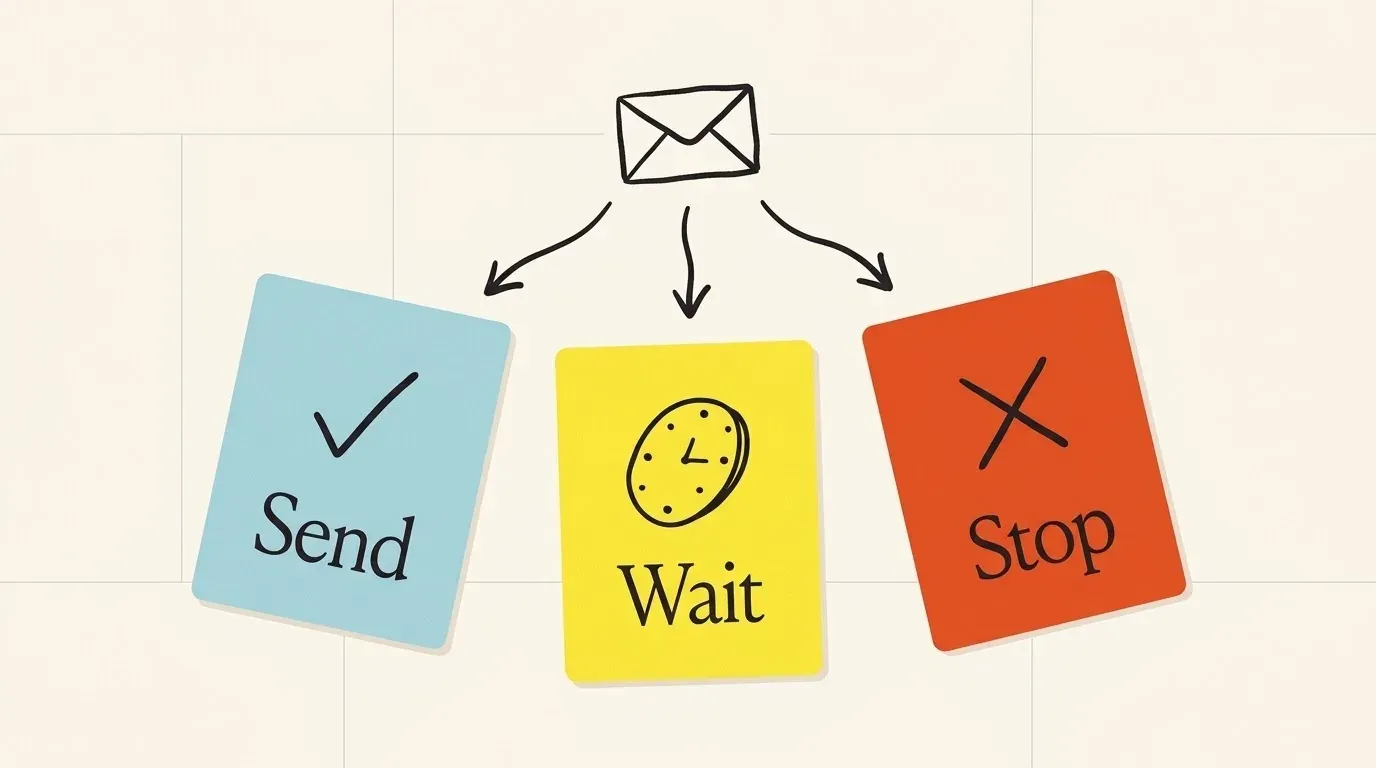
An address check tells you whether the company’s mail system accepts that address, without sending an e-mail. Every verification tool reports its result in a few groups, under slightly different names. What you do next depends on the group:
| Result | What it means | What to do |
|---|---|---|
| Valid | The mail system confirmed this mailbox | Send |
| Likely valid | The address follows the company’s known format, but the mailbox was not confirmed | Send in small batches; watch for bounces |
| Catch-all | The domain accepts mail for every address, real or not | Treat as a guess; send only with a good reason, in small batches |
| Unknown | The check got no clear answer | Try again later, or find a published address |
| Invalid | The mailbox does not exist | Do not send; try the next format |
The catch-all row is the one that hurts. A catch-all domain accepts every address at the moment of the check, so a check cannot tell a real mailbox from a typo. Some large companies look this way because a mail filter in front of the mailboxes answers for the whole domain.
How big is the risk? In one test, a verification vendor sent the same campaign to 100 catch-all addresses and 100 valid ones. The bounce rate was 27 % for the catch-all group and 1 % for the valid group (Hunter, 4 November 2025). The same post reports that 38 % of the domains in a sample of 2,572 addresses were set up as catch-all. Both numbers come from one vendor’s small test, so read them as a size, not a law. Still, the size is clear: a catch-all address is a guess, and it bounces like one.
Bounces matter beyond the one lost e-mail. Mailbox providers watch how people react to what you send. Google tells senders to keep the spam rate it reports “below 0.10% and avoid ever reaching a spam rate of 0.30% or higher”, and it applies extra rules to anyone who sends more than 5,000 messages a day to its accounts (Google sender guidelines, read 31 October 2026). A list full of wrong addresses and annoyed strangers moves you toward those limits, and then your good e-mails land in spam too.
The next section puts these numbers on one list, so you can see what a check saves.
A worked example: 200 names, guessed or checked
Say you have 200 names at 200 mid-size companies, from an event attendee page. You build each address as first.last@company.
If you guess and send:
- The study above puts
first.last@at roughly half of all addresses. Assume you guessed the right format for about 100 of the 200 people. - The other 100 addresses use another format. Some of those land on catch-all domains and go to a void; the rest bounce at once.
- Result: one send, up to 100 failures, and a bounce rate that a sending tool or a mailbox provider can flag.
If you check first:
- Check all 200 guesses. Assume 70 come back valid, 76 catch-all (the 38 % catch-all share from the test above) and 54 invalid or unknown.
- For each invalid result, build the next format (
flast@, thenfirst@) and check again. Some of these turn valid. - Send to the valid group first.
- Send the catch-all group in small batches, and stop a batch if bounces go up.
- Look for a published address for each person still unknown.

The checked list is smaller on day one. But every address on it has a known risk, and the 27 % versus 1 % bounce gap from the test above shows why that matters. The work is the same 200 names. The difference is that you find the bad addresses before the mailbox provider does.
A clean address is half the job. The other half is the right to send to it.
Is it legal to e-mail someone at work?
Usually yes, if you follow the rules of the country you send to. Work addresses are not a free zone, and the rules differ by region:
| Region | Main rule for cold work e-mail | Source |
|---|---|---|
| United States | Allowed, with an honest sender and subject, your postal address and a working opt-out. “The law makes no exception for business-to-business email.” Opt-outs must be honoured within 10 business days. | FTC CAN-SPAM guide |
| United Kingdom | The e-mail marketing rule “does not apply to corporate subscribers”, but sole traders and some partnerships count as individuals. A firstname.lastname@ address identifies a person, so data protection law still applies. |
ICO, business-to-business marketing |
| European Union | You need a lawful basis to use the person’s data. If you got the address from somewhere other than the person, you must tell them who you are and where you got it “at the latest at the time of the first communication”. | GDPR Article 14(3) |
The FTC guide also states a penalty of up to $53,088 for each e-mail that breaks the law (read 31 October 2026; the amount changes with inflation). Rules in the EU differ by country, so check the national rule for the people you plan to e-mail. This table is a summary, not legal advice.
In practice, four habits keep you on the right side in most places:
- Write to people about their job, not their private life.
- Say who you are and why you write to them.
- Offer an easy way to say no, and keep a “do not e-mail” list.
- Keep a note of where you found each address.
The last habit is also the easiest to automate, which brings us to tools.
Find work e-mails at scale with Innerfetch API
The four steps above take five to ten minutes per person. That is fine for a short list of key accounts. It does not work for a list of 500, or for an AI agent that needs an address in the middle of a task.
Innerfetch API has a work e-mail lookup. You send a first name, a last name and a company domain. The answer gives the address, a status (valid, likely_valid_pattern, catch_all_domain, unknown or invalid) and a confidence value. The lookup never sends an e-mail. You pay only when it finds an address: an unknown or invalid answer costs 0 credits. It is one option among others. A dedicated e-mail finder fits better if e-mail is your whole job and you need a full list of the addresses at one domain. Our Hunter comparison and Lusha comparison say when each tool fits.
To find a work e-mail with Innerfetch API:
- Get the person’s name and title from the company’s public page.
- Send the first name, last name and company domain to
/work-email/lookup. - Read the
deliverabilityvalue in the answer. - Send to
validaddresses first. - Send
likely_valid_patternandcatch_all_domainaddresses in small batches. - Find a published address when the answer is
unknown. - Read the cost of one lookup on the pricing page.
The company profile also returns the company’s e-mail pattern when it is known, with its executives. Use the profile when you need the format and the names of the leaders in one call. Connect an AI agent through the MCP server if you do not want to write code. Read the sample request and answer on the Work e-mail API page.
Questions people ask
Can I find someone’s work email for free?
Yes. Site search, published documents and the person’s own writing are free, and two published addresses give you the company’s format. What you pay for is speed and volume, not access.
Why did a “valid” address bounce?
The person may have left after the check, the company may have moved its mail, or a filter may have blocked your message for another reason, such as its content. Check addresses close to the day you send. A check from three months ago is a guess again.
How do I find the email format of a company?
Find two addresses the company published and compare them. If they follow the same rule, that is the format. A format lookup tool or a company data profile gives the same answer faster.
Can I find a work email from a LinkedIn profile?
Sometimes. A few people show a work address in the contact section. Most do not, but the profile still confirms the full name and the current employer, which are the two facts the four steps need.
A checklist before you send
- Confirm the person’s full name and current employer on a recent public page.
- Confirm the company’s mail domain from an address it published.
- Search the company’s site and documents for the person’s own address.
- Find the company’s format from two published addresses or a lookup tool.
- Build one to three candidate addresses, in lower case.
- Check each address and sort it: send, small batch, or stop.
- Send valid addresses first and catch-all addresses in small batches.
- Say who you are, why you write, and how to opt out.
- Keep a note of where you found each address, and a “do not e-mail” list.
An address you checked and can explain is worth more than ten you guessed. If your next job is the account behind the person, our guides to a company’s tech stack and competitors show where to look.
Try it on a company you know
Start with 200 free credits. Sign up with a work e-mail.